 It’s about having the “right” set of plugins, the best room, analog gear, making it loud, right? No, it’s not.
Sure, tools help (especially in the right hands), but what really differentiate a top mastering guy from the rest of us are things like experience, extensive-trained (not golden) ears and a proper mindset.
A simple post can’t give you the first 2 things (only time and efforts can), but at least it might give you some clues on the strategy you should learn and adopt to face mastering with a bit more confidence.
In this 2-part mini series, I want to share the most helpful things I learned over time that really helped me understanding mastering better!
#1) Choose 2 Monitoring Levels
Pick 2 listening levels, a louder and a softer one, and keep them consistent every time in every session. Your ears are the final judges and it’s so darn easy to fool them with level changes that you need to be a step ahead on this.
Choose your monitoring levels carefully and don’t go too loud.
How to know when it’s too loud? If at the end of the song you’re enjoying the silence, then it’s too loud. As for the softer level, you should barely hear your fingers typing on the keyboard…
#2) Level Match To Get The Real Perspective
Level match to get the real perspective on your work. Again, your ears will ALWAYS think that louder IS better, while it might not be! So, to get a fair comparison and hear if your EQ (or compressor, or limiter…whatever…) is working the way you want to, always level match the output of that processor with the input and listen to them at the same exact level.
Be precise; even 1dB or less can make a difference!
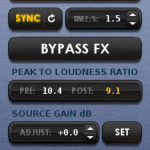
You should be able to completely bypass all of your processing without getting any level drop. Maybe that handy tool called “Percepetion” I reviewed a while ago might help you with this…
#3) Separate The Mastering Job From The Rest
Separate the mastering job from the rest (or just don’t master while you mix).
Trying to get the best sound you can while mixing is of course a good idea, messing with limiters, multiband compressors and things like that is not.
Leave the mastering stage alone. It is a completely different beast, with different goals and mindset.
You can’t wear both mixing and mastering hats at the same time.
#4) Less Is More Is THE Rule Here. Period.
That’s always a good rule, but here is way more important than in mixing. We are working on the whole song, we need to be delicate with it or we’ll screw everything up.
Try to be as smooth and gentle as possible with all the different tools you have. This means wide EQ curves, small boosts and cuts, a few dBs of gain reduction, just a tad of saturation; you get the idea.
If all your track needs is just a bit of EQ to give some power to the low end, then just go for that and don’t overcook it.
#5) Set The Ceiling of Your Limiter To -1.5dBFS
Even if your limiter is telling you are not clipping, if it’s not a limiter with inter-sample peaks detection, it will give you kinda like fake informations.
When you’ll export your song to Mp3 (or any other lossy format), the conversion process will cause clipping, and if you set your ceiling to -0.3, it will clip even more!
And if you’re using a true peak limiter with inter-sample peak detection, set its ceiling to -1 or a tad below for prevention, then check the mastered version (your bounced file) to see where it is peaking at and adjust the ceiling if necessary. You don’t need that 0.5 more, trust me.
On top of that, do this and you’ll be conform to common broadcast standards as well (see #6).
–
Stay tuned for part 2, coming up later this week!