
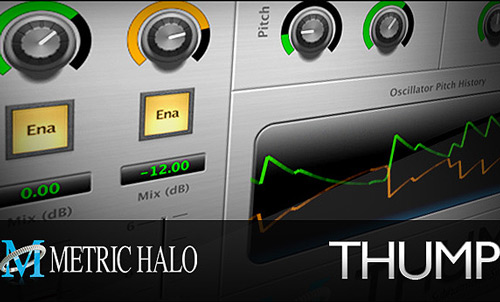
 Sometimes, no matter how hard you try, you can’t get the weight you need for your lows. That’s why today I want to show you a great plugin that is just meant to “create” that missing low end!
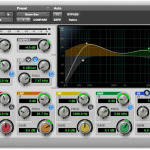
The name says it all…It’s called “Thump” and its task is to synthesize subharmonic frequencies you can blend in with the rest of your mix to add weight and energy below. Spark!
The best part is that the guys who developed “Thump” at Metric Halo let you get their plugin for FREE, in AAX 64bit format compatible with both PT10 and PT11.
So what are you waiting for? Read what this plugin can do and get your hands on it!
Make Your Subwoofers Shake
We said that Thump can “create” low end, right? But how?
Basically, it “looks” at your audio’s waveform and uses the informations it reads to drive a set of oscillators and amplitude followers to create synthetic parts. And it does what it does extremely well, by carefully analyzing the internal dynamics of your audio.
What you’ll get in the end will just be a super solid sub bass line that will make your subwoofer shake and give your track that energy and 3-dimensional feel you’re after!
How Does It Work In Practice
Let’s go a little bit more practical with it…
Say you have a kick drum that’s missing some lows. No matter how much gain you’ll add at 60Hz with your EQ…If that frequency is not there, you can’t create it, right? Not actually. You can leave your EQ as it is and stop boosting noise and use Thump to do the job!
Make a copy of your kick drum (or fed an auxiliary bus with its signal) and load Thump on that track. Now choose the frequency you want to add (make sure is in tune with your kick drum) by turning the Sust. Freq knob on the plugin, tweak the envelope and pitch parameters a bit to give it the right amount of attack and sustain and you’re ready to go!
Thump is not limited to kick drums only. It will work for bass lines as well. Basically, it will work with every signal you’ll fed into it, so take the time to experiment with it a little bit and then get creative.
Other Features
Now let’s say you’re very lazy or you’re on a hurry… You can do all the work with just one single track. Thanks to its Wet/Dry knob, you can dial in the right amount of original signal (the kick drum you started with) and synth signal (the generated subs) right from the plugin itself.
On top of that, Thump comes with 2 separate oscillators, meaning you can generate 2 different frequencies at the same time! A handy pair of faders will then let you blend those frequencies together to get the right mix between them.
And just in case you don’t know where to start from, Thump comes with some great built-in presets to get you up and running in no time. If you feel a bit confused, just load up the one called “Kick Thump”, tweak the Wet/Dry mix to taste and then hear your kick drum rockin’ with a whole new dimension below!
When you’re done, make sure to tweak the Out Gain knob to get the right output level.
Subs Are Waiting For You
With Thump there’s no more need to sidechain your kick to a gated signal generator and things like that to add weight below. Now you can do it all with just a single plugin. No more need for complex routing things… With all the features Thump gives you, you can really sculpt and fine tune the way your subs sound. And again, for FREE!
That’s it for today.
What’s missing? Uh, yes…the download link. Here it is!
If you like the plugin, leave a comment below or like this post… Just let me know!
May the Thump be with you!

Thanks a bunch! Gonna try out this stuff asap
You’re more than welcome, Travis. More stuff to come in the near future… Keep checking the blog!
My pleasure! Feel free to write me about your tests if you will.
Nice Blog, thanks for sharing this kind of information.
You’re welcome! Thanks for reading.